Understanding AI Rate Limits: How Claude, ChatGPT, and Cursor Actually Measure Usage
Demystifying the opaque limit systems of Claude, ChatGPT, and Cursor. Learn how tokens, messages, and compute time work, when limits reset, and what triggers throttling.
QuotaMeter Team
"You've reached your limit. Please wait 3 hours and 47 minutes."
You stare at the screen. You only sent 12 messages. How is that possible?
The answer: AI rate limits are deliberately opaque. Companies don't want you gaming the system, so they keep the exact calculations hidden. But after extensive testing, community research, and reading between the lines of documentation, we can demystify most of it.
This guide explains exactly how limits work for Claude, ChatGPT, Cursor, and their APIs—and how to avoid hitting them unexpectedly.
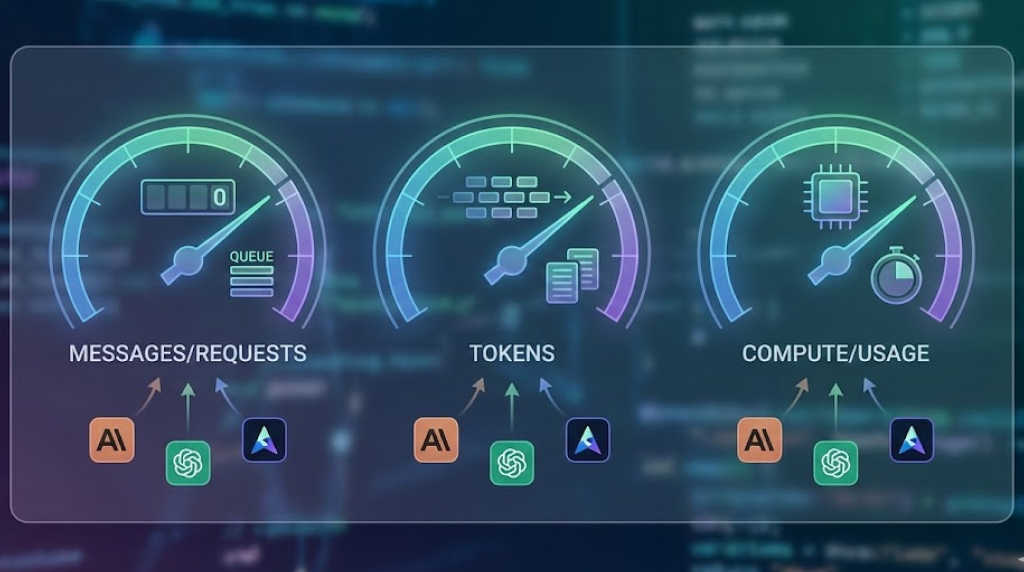
The Three Types of AI Limits
Before diving into specific services, understand that AI limits come in three flavours:
1. Message/Request Limits
The simplest: "You can send X messages per Y time period."
- Easy to understand
- Easy to track
- Used by: ChatGPT free tier, some API plans
2. Token Limits
More complex: limits based on the total text processed (input + output).
- A "token" ≈ 4 characters or ¾ of a word
- Both your prompts AND the AI's responses count
- Used by: APIs, Claude Pro (partially), Cursor
3. Compute/Usage Limits
The most opaque: limits based on actual computational resources used.
- Different models use different amounts of compute
- Complex requests cost more than simple ones
- Used by: Claude Pro, ChatGPT Plus, Cursor
Most services use a combination of these, which is why limits feel so confusing.
Claude Usage Limits Explained
Claude has one of the most confusing limit systems because it's intentionally vague. Here's what we know:
Claude Free Tier
Limits: Very restricted, roughly 10-20 messages per day (varies)
How it works:
- Message-based counting
- Resets appear to be rolling (not at a fixed time)
- Heavy messages (long context) eat more quota
- Limits tighten during peak usage times
When you'll hit it: Usually within 10-15 back-and-forth exchanges during a coding session.
Claude Pro ($20/month)
Official description: "5x the usage of the free tier"
What that actually means:
- Roughly 100-150 messages per 5-hour rolling window
- Longer context windows count as "heavier" usage
- Using Opus 4.5 (vs Sonnet 4.5) consumes quota faster
- Projects with uploaded files get extended limits due to caching
The 5-hour rolling window: This is the key concept. Your limit isn't "150 messages per day"—it's approximately 150 messages in any 5-hour period. Once you hit it, you wait for your oldest messages to "roll off" the window.
Example:
- 9:00 AM: Send 50 messages
- 11:00 AM: Send 50 messages
- 1:00 PM: Send 50 messages → HIT LIMIT
- 2:00 PM: Your 9 AM messages roll off → Some quota returns
- 2:30 PM: More quota → Can continue
What makes limits worse:
- Using Opus 4.5 instead of Sonnet 4.5 (2-3x the compute)
- Very long prompts (10K+ tokens)
- Asking for very long outputs
- Peak hours (US business hours)
What helps:
- Projects with cached files (only new/changed content counts)
- Shorter, more focused prompts
- Using Sonnet 4.5 for most tasks (save Opus 4.5 for complex reasoning)
We've written a guide on prompt templates that reduce token usage by 50% if you want to stretch your quota further.
Claude Team ($25/user/month)
Limits: Higher than Pro, exact multiplier unknown
Additional benefits:
- 200K context window (vs Pro's 100K)
- Admin controls and usage visibility
- No training on your data
In practice: Team users report hitting limits less frequently, suggesting 2-3x Pro capacity.
For a detailed comparison of Team vs individual plans, see our team subscription analysis.
Claude API
Limits: Entirely different system—based on tokens and rate limits.
According to Anthropic's official rate limits documentation:
| Tier | Requests/min | Tokens/min | Tokens/day |
|---|---|---|---|
| Tier 1 (new) | 50 | 40K | 1M |
| Tier 2 | 1,000 | 80K | 2.5M |
| Tier 3 | 2,000 | 160K | 5M |
| Tier 4 | 4,000 | 400K | 10M |
Key insight: API limits are hard limits. Hit them and you get a 429 error. No "soft degradation" like the chat interface.
Tier upgrades: Based on total spend. Spend more → higher tier → higher limits.
ChatGPT Usage Limits Explained
ChatGPT's limits are slightly more transparent than Claude's.
ChatGPT Free Tier
Limits:
- GPT-5.2 Instant: Limited access (varies based on demand)
- Legacy models (GPT-4o): Generous, rarely hit
How it works:
- Message-based counting
- Heavy rationing for GPT-5.2 access on free tier
ChatGPT Plus ($20/month)
Official limits (as of late 2025):
- GPT-5.2 Instant: Higher message limits, fastest responses
- GPT-5.2 Thinking: More limited (compute-intensive reasoning)
- GPT-5.2 Pro: Most limited (highest accuracy for difficult questions)
The rolling window: Similar to Claude, this is a rolling window. Your limit refreshes as older messages age out, not at a fixed daily reset.
What counts as a "message":
- One user message + one AI response = 1 message
- Regenerating a response counts as another message
- Using plugins/tools might count extra
What affects your limits:
- Model choice (Instant vs Thinking vs Pro)
- Using Advanced Data Analysis (Python code execution)
- Using DALL-E (image generation)
- Using Browse (web search)
Shared quota: Reports suggest features like DALL-E and Browse share quota with chat messages. Heavy image generation can eat into your message limit.
ChatGPT Team ($25/user/month)
Limits: Higher than Plus
Known details:
- Higher message caps (exact numbers vary)
- GPT-4o access appears less restricted
- Priority access during peak times
ChatGPT Enterprise
Limits: Essentially unlimited for practical use
The deal:
- No message caps
- Higher context windows
- Priority everything
- Costs: $$$$ (enterprise pricing)
OpenAI API (GPT-5.2, GPT-5.2-Codex)
Rate limits by tier (from OpenAI's rate limits documentation):
| Tier | RPM | TPM | RPD |
|---|---|---|---|
| Free | 3 | 200 | 200 |
| Tier 1 ($5 paid) | 500 | 30K | 10K |
| Tier 2 ($50 paid) | 5K | 450K | - |
| Tier 3 ($100 paid) | 5K | 600K | - |
| Tier 4 ($250 paid) | 10K | 800K | - |
| Tier 5 ($1K paid) | 10K | 10M+ | - |
RPM: Requests per minute TPM: Tokens per minute RPD: Requests per day
Key differences from chat:
- Hard limits (429 errors)
- Token-based, not message-based
- Can be increased by paying more
- Usage directly tied to cost
Cursor Usage Limits Explained
Cursor's limits are the most straightforward, but still have quirks.
Cursor Pro ($20/month)
According to Cursor's rate limits documentation, there are two types of limits:
1. Burst rate limits:
- Can be dipped into for particularly bursty sessions
- Slow to refill after use
2. Local rate limits:
- Refill fully every few hours
- Designed for steady, ongoing usage
What counts as a request:
- Tab completion: Usually doesn't count
- Chat message: Counts
- Cmd+K inline edit: Counts
- Composer (multi-file): Counts per action
When Cursor rate limits you:
Cursor enters rate-limited mode when you've used significant compute. The limits depend on:
- Model choice (Opus uses more than Sonnet)
- Message length
- Attached file size
- Conversation length
What rate-limited mode feels like:
- Slower response times
- May need to switch to models with higher limits
- Can enable usage-based pricing to continue at full speed
- Can upgrade to higher tier (Pro+ at $60/month or Ultra at $200/month)
The reset: Local rate limits refill every few hours. Burst limits refill more slowly.
Cursor Business ($40/user/month)
Limits:
- Team plans use a flat fee per request system instead of rate-limited compute
- Admin controls for team usage
- SSO and compliance features
Using Your Own API Keys
The workaround: Cursor lets you bring your own OpenAI or Anthropic API keys.
Pros:
- No Cursor request limits (just API provider limits)
- More control over model choice
- Can be cheaper at scale
Cons:
- You pay API costs directly
- Managing keys and billing separately
- Subject to API provider rate limits
When Do Limits Reset? A Summary
| Service | Reset Type | Window | Resets At |
|---|---|---|---|
| Claude Free | Rolling | Unknown | Continuous |
| Claude Pro | Rolling | 5 hours | Continuous |
| ChatGPT Free | Rolling | Daily-ish | Varies |
| ChatGPT Plus | Rolling | 3 hours | Continuous |
| Cursor Pro | Rolling | Few hours | Continuous |
| OpenAI API | Rolling | Per-minute/day | Continuous |
| Anthropic API | Rolling | Per-minute/day | Continuous |
Rolling vs Fixed:
- Rolling: Your oldest usage "falls off" continuously. Useful if you pace yourself.
- Fixed: Hard reset at a specific time. Use it or lose it.
What Actually Triggers Throttling
Beyond official limits, several factors can trigger soft throttling (slower responses, degraded access):
Peak Hours
- US business hours (9 AM - 6 PM EST) are worst
- Monday mornings are particularly bad
- Weekends generally have better availability
Server Load
- Major AI news events cause spikes
- Product launches (new GPT versions, etc.)
- End of month (everyone using remaining quota?)
Account Behaviour
- Extremely rapid-fire requests
- Unusual patterns (might look like bots)
- Very long conversations without breaks
Model Choice
- GPT-5.2 Thinking/Pro and Claude Opus 4.5 have tighter limits
- Newer models often have restricted rollouts
- "Latest" models can have temporary restrictions
Practical Strategies for Each Service
Maximising Claude
- Use Projects: Cached files don't count against your limit
- Default to Sonnet 4.5: Save Opus 4.5 for truly complex reasoning
- Batch your questions: One comprehensive prompt vs. 5 small ones
- Start fresh strategically: Long conversations consume more quota
Anthropic's prompt engineering guide has excellent tips for getting better results with fewer tokens.
Maximising ChatGPT
- Use GPT-5.2 Instant for most tasks: Faster AND higher limits than Thinking/Pro
- Limit multimodal usage: Images/browse eat into quota
- Reserve Thinking mode for complex work: Simple tasks don't need deep reasoning
- Custom GPTs can help: Cached instructions don't re-process
Check out OpenAI's prompt engineering best practices for more efficiency tips.
Maximising Cursor
- Be selective with Cmd+K: Each edit counts as a request
- Use tab completion freely: Doesn't count against fast quota
- Batch Composer operations: One multi-file change vs. multiple
- Accept slower models when rate limited: Sonnet 4.5 is often sufficient and has higher limits
API Limits vs Chat Limits: A Key Difference
If you use APIs directly (OpenAI, Anthropic), understand that limits work completely differently:
| Aspect | Chat Interface | API |
|---|---|---|
| Limit type | Compute-based | Token-based |
| Enforcement | Soft (slower) | Hard (errors) |
| Tracking | Opaque | Transparent |
| Cost | Fixed subscription | Pay per use |
| Control | None | Set your own limits |
Why this matters:
API users have more control but more responsibility. You can set hard spending limits, but you also get hard failures when you hit them. Chat users get softer degradation but less visibility.
How to Track Your Actual Usage
The core problem with AI limits is visibility. You don't know:
- How close you are to hitting limits
- What's consuming the most quota
- When exactly things will reset
Current options:
Claude: Go to Settings → Usage (limited info) ChatGPT: No real-time usage dashboard Cursor: Settings shows request usage APIs: Dashboard shows tokens/spend
The gap: There's no unified view across services. You're checking 5 different dashboards to understand your usage.
This is exactly why we built QuotaMeter—a single dashboard showing your usage across Cursor, Claude, ChatGPT, OpenAI API, and Anthropic API. See all your limits, know when they reset, and never hit a wall unexpectedly.
The Future of AI Limits
A few trends I'm watching:
- Usage-based pricing is coming: More services will move to "pay for what you use" vs. flat subscriptions
- Limits will get more transparent: Customer pressure is working
- Tiers will multiply: Expect more plans between "Pro" and "Enterprise"
- Multi-model efficiency: Tools that automatically route to cheaper models when possible
For now, understanding these limits is a competitive advantage. The developers who know how limits work can plan their workflows accordingly—and never lose productivity to unexpected throttling.
If you're trying to decide which tools are worth paying for given these limits, our Claude vs ChatGPT vs Cursor comparison breaks down which tool is best for which tasks.
Want real-time visibility into all your AI limits? Get QuotaMeter — see Cursor, Claude, ChatGPT, and API usage in one dashboard. Know exactly when you're approaching limits and when they reset. £4.99 one-time.
Ready to track your AI usage?
Get QuotaMeter and never hit usage limits unexpectedly again.
Get QuotaMeter